Venmo: Difference between revisions
No edit summary |
No edit summary |
||
| (9 intermediate revisions by the same user not shown) | |||
| Line 1: | Line 1: | ||
To give any refunds or transfers it has to be done through the app as of 11.22.2022. They are working on a web based platform for businesses but currently this is the only way to see transactions. | To give any refunds or transfers, it has to be done through the app as of 11.22.2022. They are working on a web based platform for businesses, but currently this is the only way to see transactions. | ||
To check and see if a transaction came through logging into the Venmo website | To check and see if a transaction came through logging into the Venmo website, go to: | ||
website:https://venmo.com/account/sign-in | website:https://venmo.com/account/sign-in | ||
1. After logging in this screen will come up. Since this is tied to Glen's cell phone it shows both Glen and the Color Services logo.( | '''1.''' After logging in, this screen will come up. Since this is tied to Glen's cell phone, it shows both Glen and the Color Services logo. (Screenshot A & #1) | ||
[[Media:VenmoWebA.jpg]] | |||
[[Media:VenmoScreen1.jpg]] | |||
4. Choose Color Services | To see all of Color Services transactions, choose '''Statements''' in the lower left corner. | ||
'''2.''' After choosing '''Statements''', the current month will show at the top and Glen's profile will automatically show in the upper right corner. See Screenshot 2. | |||
[[Media:VenmoScreen2.jpg]] | |||
'''3.''' Use the drop down. See screenshot 3. | |||
[[Media:VenmoScreen3.jpg]] | |||
'''4.''' Choose Color Services. See screenshot 4. | |||
[[Media:VenmoScreen4.jpg]] | |||
After choosing this, you will see all Color Services transactions for the current month. To search for past month's transactions you will have to choose the month in the dropdown menu for account history. | |||
Latest revision as of 12:25, 14 November 2022
To give any refunds or transfers, it has to be done through the app as of 11.22.2022. They are working on a web based platform for businesses, but currently this is the only way to see transactions.
To check and see if a transaction came through logging into the Venmo website, go to:
website:https://venmo.com/account/sign-in
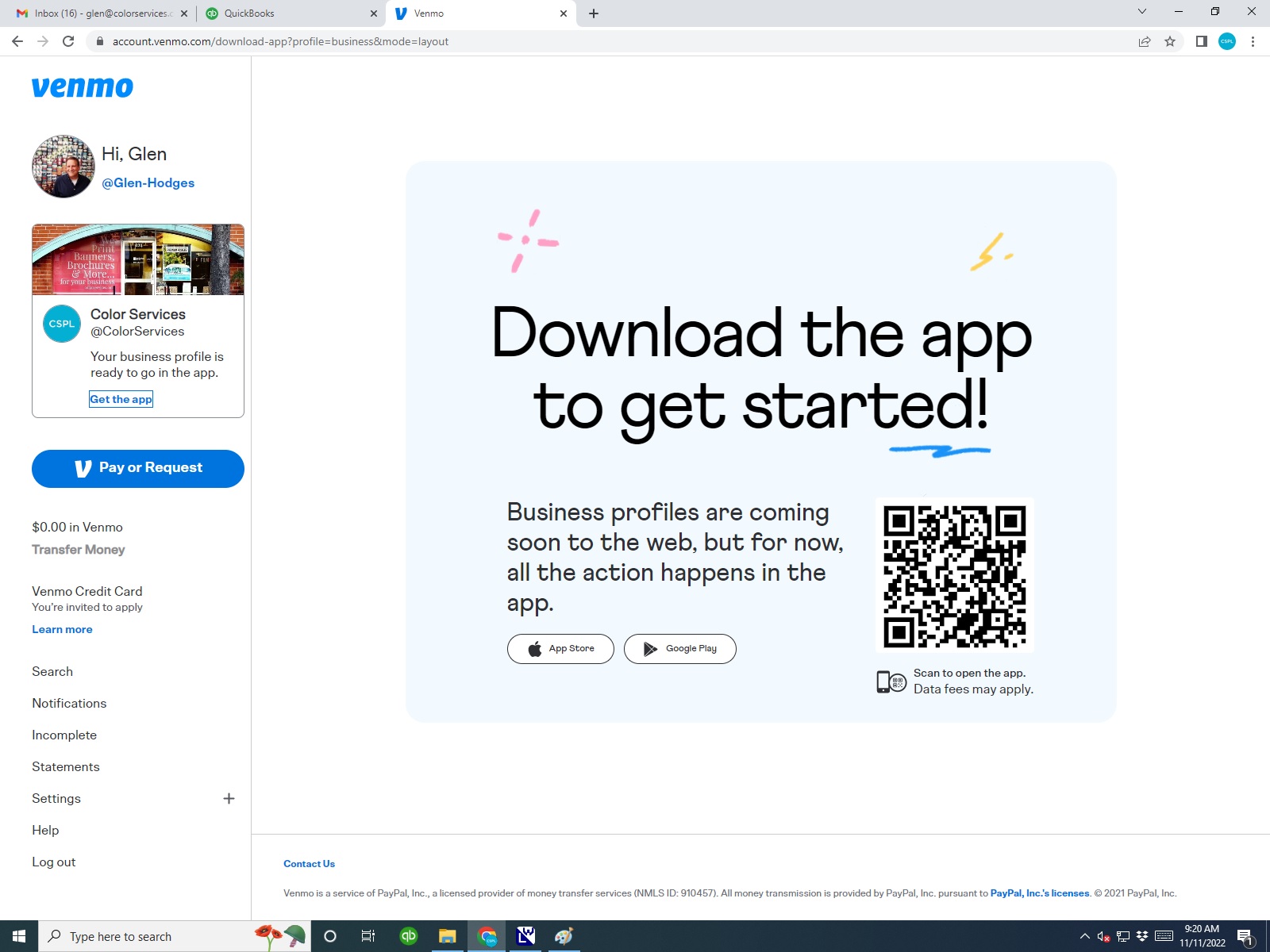
1. After logging in, this screen will come up. Since this is tied to Glen's cell phone, it shows both Glen and the Color Services logo. (Screenshot A & #1)
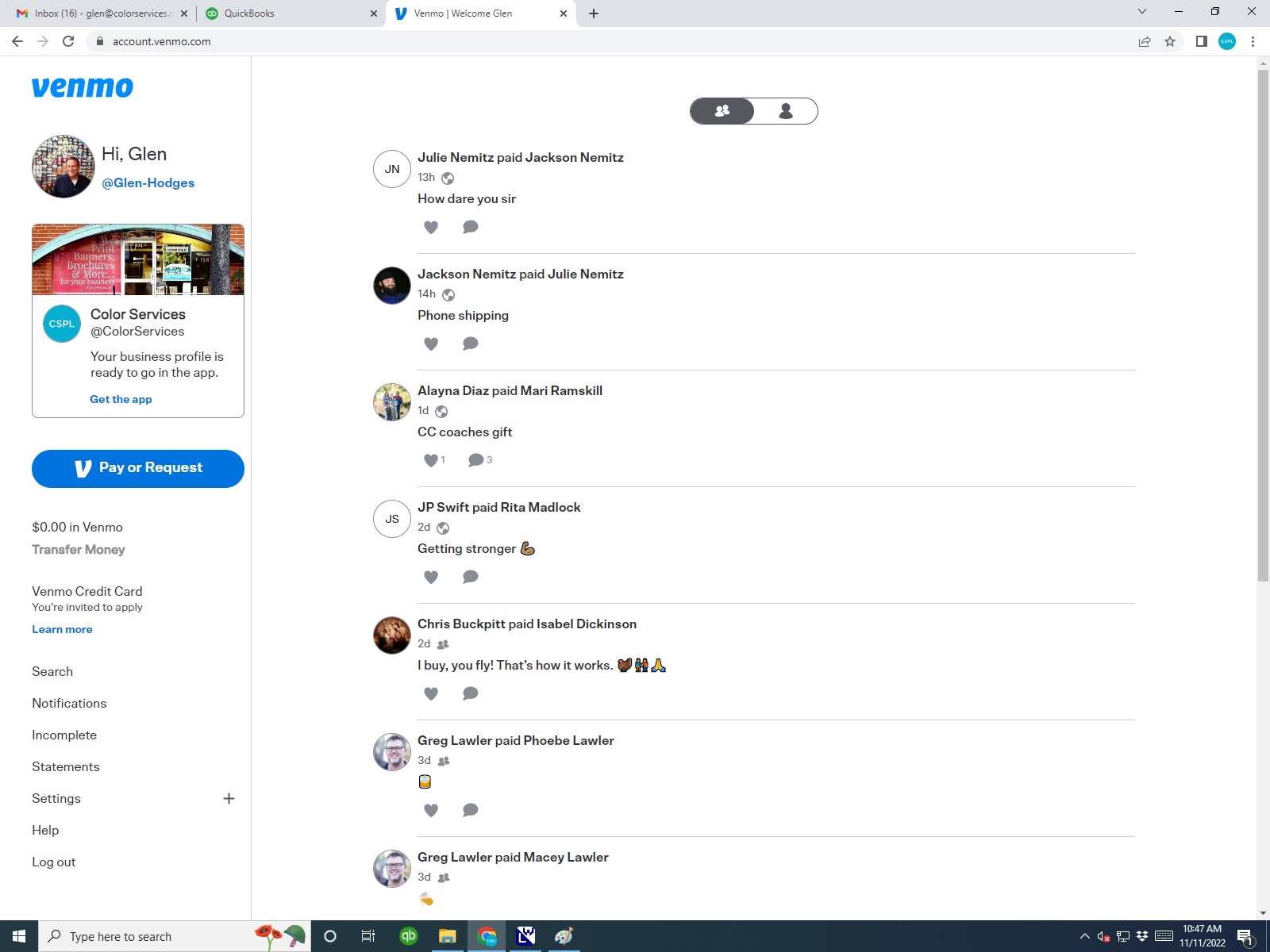
To see all of Color Services transactions, choose Statements in the lower left corner.
2. After choosing Statements, the current month will show at the top and Glen's profile will automatically show in the upper right corner. See Screenshot 2.

3. Use the drop down. See screenshot 3.
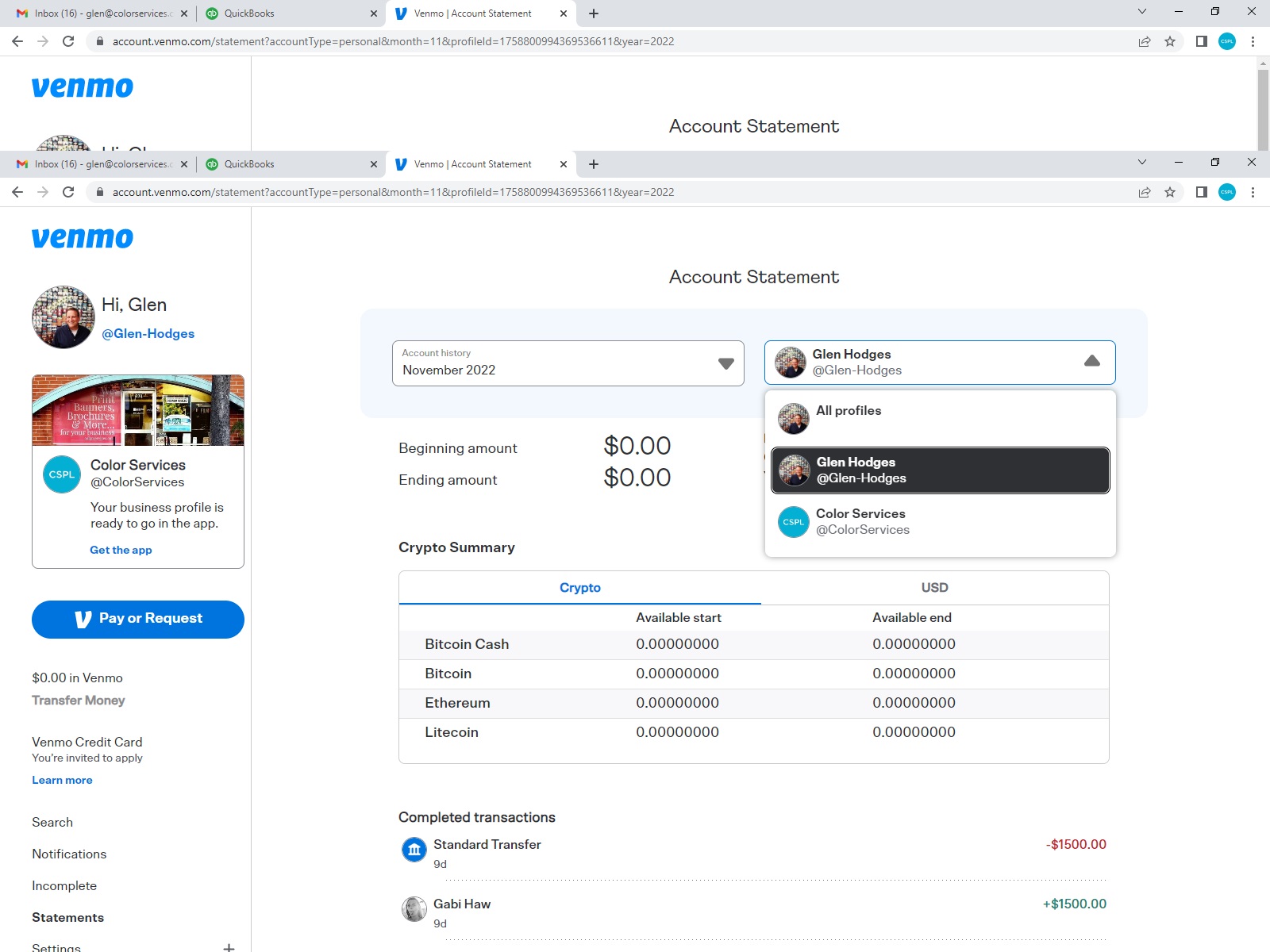
4. Choose Color Services. See screenshot 4.

After choosing this, you will see all Color Services transactions for the current month. To search for past month's transactions you will have to choose the month in the dropdown menu for account history.